
The MSI G321CU could be the display many budget-minded gamers have been waiting for, delivering a high refresh rate 32-inch 4K experience on the cheap. While it certainly accomplishes this on the surface, things are a little more complicated under the surface.
Get gaming gear for less ☞ Our free money-saving tool finds discounts for you at over 40,000 online retailers. Try PCGamesN Deal Finder now.
I’ve been testing the MSI G321CU for the past month, primarily as a display for games and videos. In addition to general use, I’ve assessed its capabilities more formally with an Nvidia LDAT and other tools.
MSI G321CU specs
| Size | 31.5-inches |
| Resolution | 3840 x 2160 (4K) |
| Refresh Rate | 144Hz |
| Panel Type | VA (Vertical Alignment) |
| Variable Refresh Rate |
Yes (FreeSync Premium) |
| HDR | Yes |
| Curvature | 1500R |
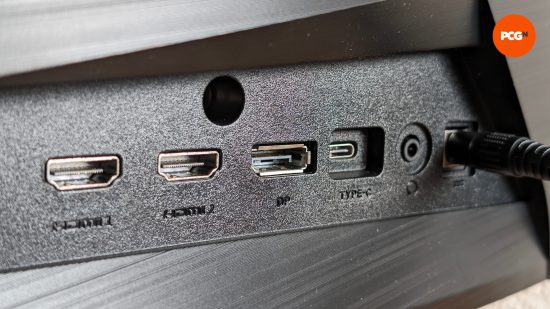
| Ports | DisplayPort 1.4a (x1) HDMI 2.1 (x2) USB Type-C (DP alt.) (x1) 3.5mm output (x1) |
MSI G321CU design
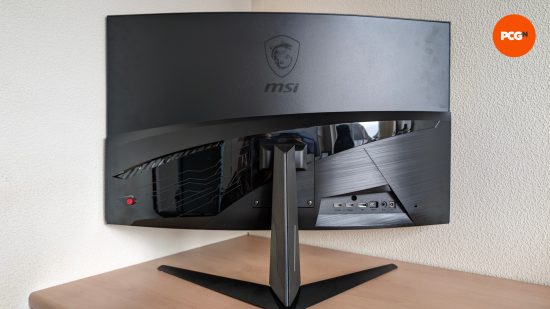
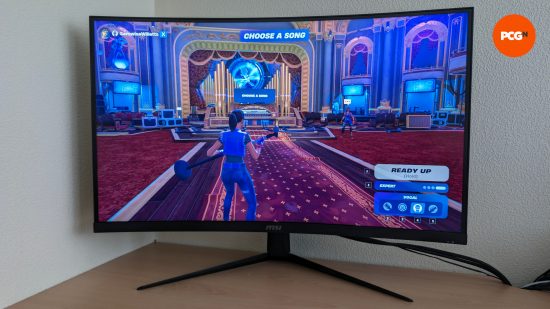
The G321CU is quite plain in its design, sporting a matte black plastic construction for its V-shaped stand and the majority of its chassis. There is a small amount of glossy plastic, looking at the back of the display, but this reflective splash doesn’t tip things away too much from an otherwise muted appearance.
Held together by three screws, one in the base of the stand and two into the rear chassis, the G321CU feels solid and exhibits no noticeable wobble on a stable surface. Getting it into the right position for your gaming desk, however, is made somewhat difficult by its lack of height adjustment.
Ports are positioned horizontally, making plugging cables into the G321CU much easier. Annoyingly, though, the monitor doesn’t come with any form of cable management.
Finally, MSI has opted to include a matte anti-glare coating on the G321CU’s curved 1500R panel. This is typical of most gaming monitors, curved or otherwise, making them easier to use in brighter environments at the expense of perceived color saturation. That said, it should be noted that some competing glossy options are available for a higher price.
MSI G321CU features
As part of the MSI’s budget-leaning ‘G’ series, the G321CU is somewhat bare-bones when it comes to features. This cost-cutting exercise does mean that you’re not stuck paying for useless add-ons like RGB lighting, but there is at least one nicety that some will sorely miss.
When it comes to video inputs, the G321CU arrives with a welcome array of DisplayPort 1.4a, HDMI 2.1, and USB Type-C (with DP alt.) ports. Each of them has enough bandwidth to support the native resolution and refresh rate of the panel, provided you’re connecting to a compatible graphics card or device. Although, consoles will top out at 4K/120Hz. Sadly, the G321CU forgoes USB passthrough support, so you’ll need to plug your peripherals, such as your gaming mouse, keyboard, or headset, directly into your PC.
Turning to the G321CU’s OSD, there’s the usual assortment of features that you should never bother with, such as a built-in crosshair. Ignoring them, however, you’ll find three ‘Response Time’ (Overdrive) modes and several display presets, which I’ll cover in more detail later in this review. The only feature of note then, in the meantime, is the toggle that defines whether the HDMI 2.1 ports run at their full bandwidth or not.
As a FreeSync Premium display, the G321CU comes equipped with low framerate compensation (LFC). This tech makes it possible for adaptive sync to remain active even outside the monitor’s native range of 48-144Hz by duplicating frames. Put simply, you needn’t worry about stuttering or screen tearing, even when playing games at 30fps.
MSI advertises the G321CU as “HDR Ready” but this simply isn’t the case. While the panel is capable of displaying a wide range of colors, its edge-lit dimming solution simply isn’t good enough for a true HDR experience. To be clear, this problem isn’t unique to this monitor, far from it, but it doesn’t make it any less impossible to recommend for HDR gaming.
MSI G321CU performance
The out-of-the-box performance of the G321CU is something of a mixed bag, with positives like vibrant colors and decent contrast ultimately marred by slow response times and noticeable smearing.
Using an Nvidia LDAT, I measured an average response time range of 4.7-11.0ms at 144Hz, jumping to 6.6-12.0ms at 60Hz, using the three response time modes, ‘Normal’, ‘Fast’, and ‘Fastest’. While these response times are fine for cinematic experiences, they’re not ideal for competitive gaming. Even my performance in Fortnite Festival was noticeably worse while playing on the G321CU.
Of the three overdrive modes, I would opt for ‘Normal’. While it does produce the slowest response times, it produces the least amount of ghosting. If you absolutely need something faster, then ‘Fast’ is the way to go as ‘Fastest’ simply produces too much noticeable inverse ghosting.
All this said, no matter which mode you use, you will likely encounter varying degrees of smearing on fast moving objects regardless. Viewing the BlurBlusters TestUFO pattern, the G321CU handles lower refresh rates just fine but starts to produce trails as pixel refresh speed increases.
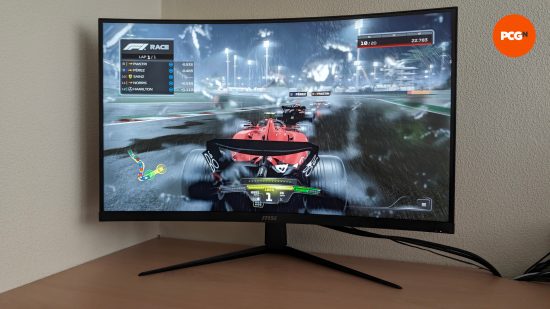
What the G321CU lacks in response time, it makes up for with its colors and contrast. For a budget 4K VA panel, I am genuinely surprised at how punchy it looked in games and while watching videos. Colors are a bit too wild in its default settings, but the sRGB mode in the OSD helps to clamp things down for greater color accuracy.
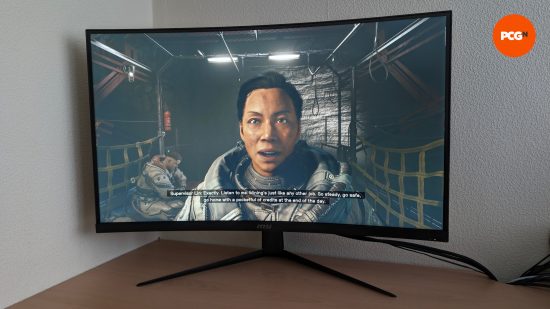
Playing the likes of the Dead Space Remake and Starfield highlight the G321CU’s good contrast. While its black and gray uniformity aren’t perfect, as is true of all VA panels, it certainly made transitioning between light and dark scenes all the more immersive.
MSI G321CU price
At its MSRP of $500, the G321CU stands as one of the cheapest examples of a 32-inch 4K gaming monitor with a high refresh rate that you’ll find on the market.
This cost is undoubtedly due in part to its screen size, with the 27-inch MSI MAG274UPF undercutting the G321CU by $50. Looking exclusively at 32-inch monitors, however, the only real competition that the G321CU faces is the Acer Nitro XZ320QK P3. Both are $500, but the XZ320QK P3 does offer a slightly higher refresh rate of 165Hz.
Given that high refresh rate 4K monitors tend to start at $600, you are saving a chunk of change if you can put up with the G321CU’s shortcomings. That said, great QHD options are available for markedly less.
Should you buy the MSI G321CU?
If you absolutely must have a high refresh rate 32-inch 4K panel, then the MSI G321CU is a decent option if your budget can’t push past the $500 mark. However, I’d sooner recommend spending this kind of cash on a more premium 27-inch QHD display.
Its weaker response times and smearing issues keep it from serving you well in both single-player and competitive games, with the G321CU only really suiting the former. That said, its wide color gamut and contrast shine brightest in those kinds of experiences, and it’s a good option for those with both a PC and consoles, thanks to its HDMI 2.1 ports.
All told the MSI G321CU gets a highly caveated recommendation.
[image]
MSI G321CU alternatives
If the MSI G321CU isn’t the perfect monitor for you, check out some of our alternate recommendations:
Corsair Xeneon 32UHD144-A
If you push your budget a little further, the Xeneon 32UHD144-A comes highly recommended. While it can’t quite compete with the G321CU in terms of contrast, due to its IPS panel, it produces even more vivid but also accurate colors. It also opts for a flat panel, rather than curved, if that’s a priority for you.
Most importantly, though, is that there’s no issues with smearing and it can happily be used in competitive games owing to its lower response times. It also has USB ports and proper cable management too.
Check out our Xeneon 32UHD144 review for more details, as the two monitors are identical save for their stands.
The MSI G321CU will please budget-minded gamers looking to dip their toes into 4K gaming, with punchy colors and solid contrast. However, with it being prone to smearing and its response times proving somewhat lacking, it’s only suitable for single player experiences.
- Wide color gamut
- Good contrast
- Two HDMI 2.1 ports
- Mediocre respone times
- Some smearing issues
- No USB Passthrough

