If you’re looking for how to play GBA games on Switch, you’ve found the right article! With the Nintendo Switch being a console portable hybrid, it makes perfect sense that Game Boy Advance games have made their way into the library of retro games.
We’ll be showing you just how easy it is using the Nintendo Switch Online Expansion Pack. Without further ado, let’s get into it.
How Do I Play GBA Games on Switch?
What You’ll Need
- An active Nintendo Switch Online + Expansion Pack membership
Before we start, you’ll need to make sure that you first have an active Nintendo Switch Online membership with the Expansion Pack included. If you don’t yet have a subscription to NSO, you can either sign up for monthly or yearly. In terms of pricing, the best deal that you can get is to buy the Nintendo Switch Online + Expansion Pack 12 month membership.
1. Head to the Nintendo eShop
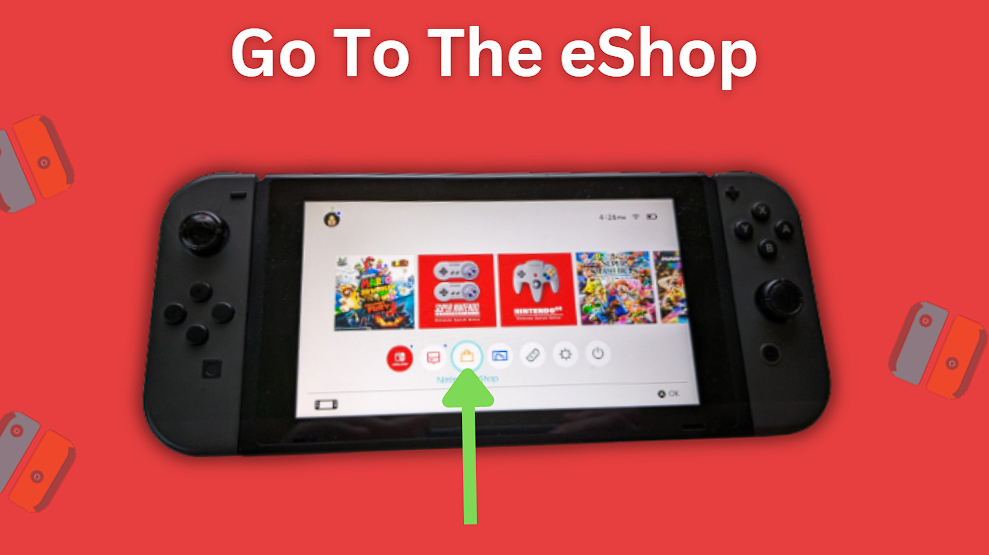
Power on your Nintendo Switch and open up the eShop from the bottom menu on the Switch’s home screen.
2. Go to the Nintendo Switch Online section
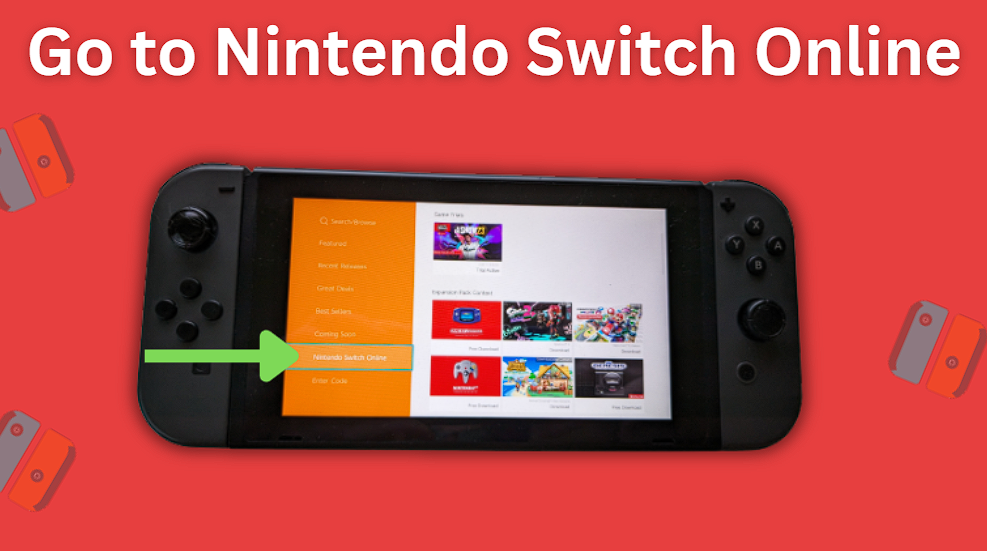
On the eShop’s left hand side menu, scroll down to the Nintendo Switch Online section and wait for it to load.
3. Go to the Game Boy Advance app
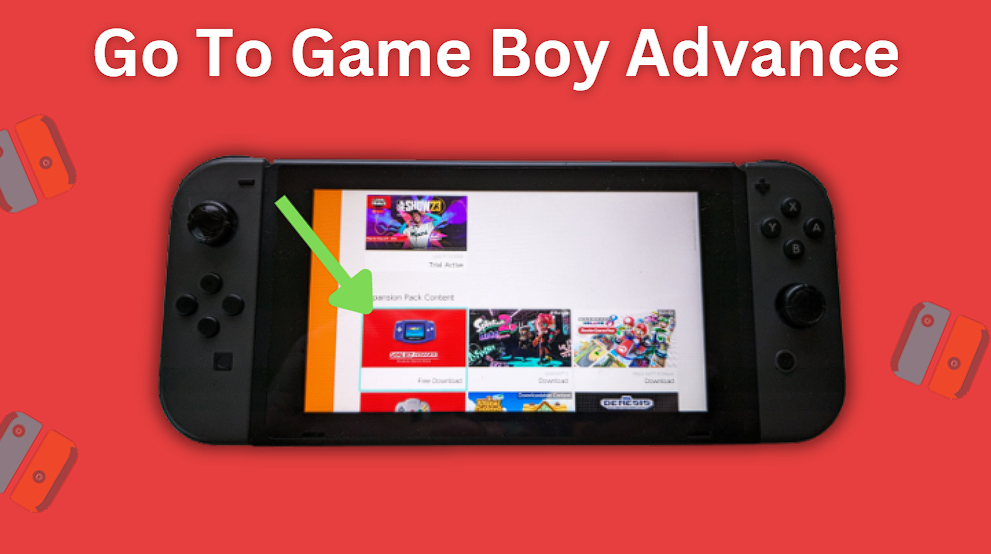
Scroll down until you find the Game Boy Advance application and select it.
4. Download the GBA app
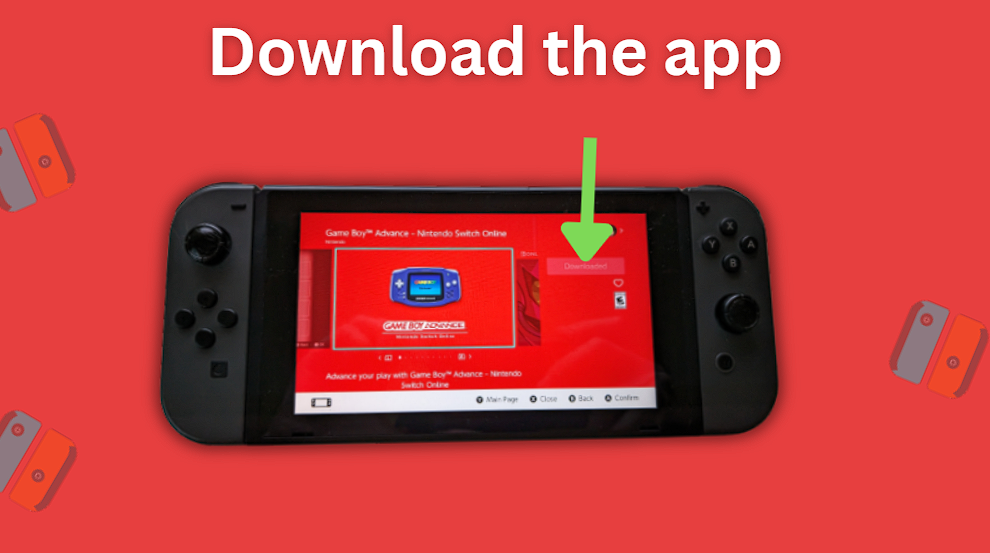
Select the Free Download button on the right to download the Game Boy Advance games app. Keep in mind that you may need to select the Free Download button again on the next page that appears.
5. Head back to the Switch’s Home screen
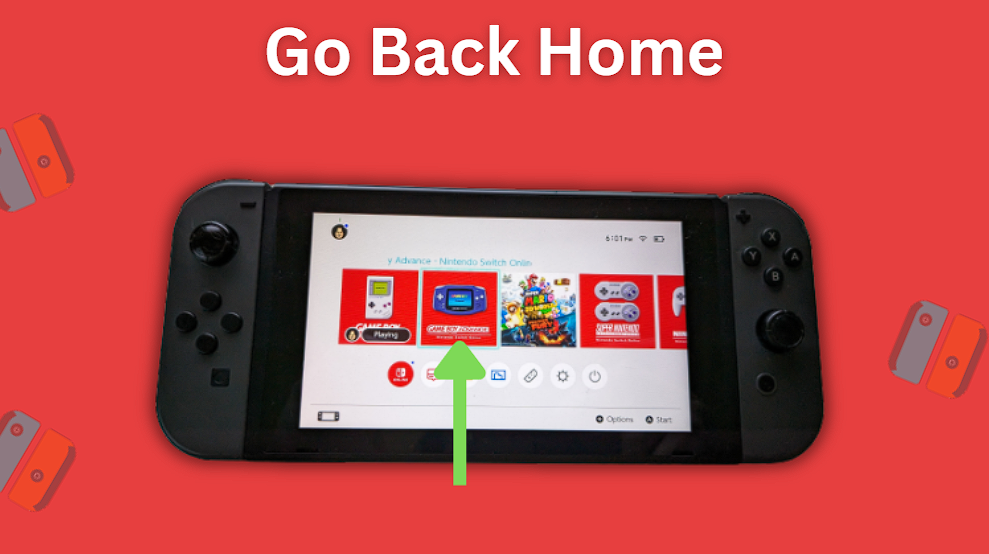
You can now head back to the Home screen on your Switch and wait until the download completes. You should see the GBA games app there with a progress bar showing its progress.
Frequently Asked Questions
Is There A GBA Emulator for Switch?
Yes, with Nintendo Switch Online + Expansion Pack, players can download the GBA emulator app to play Game Boy Advance games on their console. Not only does the Switch have GBA games, but it also has Game Boy and Game Boy Color games as well.
How Many GBA games Are on Switch?
As of July 2023, there are 11 different GBA games available on the Switch in the NSO + Expansion Pack app. There are also 13 Game Boy games on the Switch as well, available in the Game Boy Nintendo Switch Online games app.
Can You Play GBA Games on Switch Offline?
Yes, you can play GBA games on Switch while offline, but do keep in mind that you will need to have an active membership and verify that it is still active every 7 days by connecting your Switch to the internet. If you don’t, you will be prompted to connect online to verify and continue playing. This is something to keep in mind if you plan to be traveling with your Switch and won’t have access to an internet connection for some time.
You might also be interested in this article on the best GBA emulators.