
Looking for an Snes9x Netplay tutorial on how to set it up? Look no further because in this guide we’ll show you just how simple it is to get setup and playing SNES games online with your friends. The Super Nintendo has tons of great multiplayer games and with the Snes9x emulator making it so easy to play SNES games online, retro gaming has never been better.
Snes9x even made the top of our list for the best SNES emulator available! Without further ado, let’s get started so you can get ready to play games online and challenge them to an online match.
How To Setup Snes9x Netplay?
Note: Do keep in mind that it’s highly recommended that whoever will be hosting the Netplay session have their PC connected directly to the router to minimize potential lag. While it’s not a necessity, because one player will be hosting the multiplayer game to play online, for users with connection problems, this can cause online play to sometimes not be great.
What You’ll Need
- If you haven’t yet installed Snes9x on your computer, head over to the official SNES9x website and download and install the emulator onto your device – the emulator isn’t too large so it shouldn’t take too long and once installed, you can proceed to the next steps.
- You’ll also need to have the same SNES ROM (the same game) as your friends that you plan on playing with – make sure that they are the same region version as well
- One of you will need to decide who will be the Netplay host of the session and who will be joining using the Netplay feature
- Be sure to double check that all players have the same versions of Snes9x installed as well – you can check this from within Snes9x by going to Help > About… and it will shows the version you have installed at the very top
Getting Set Up
For Players Hosting The Server
- Go ahead and open up the SNES9x emulator if you haven’t already
- Click File from the top menu and then Load game… to select the ROM that you and your friend will be playing together online
- With the emulator window now open, you should see Netplay in the top menu – click on it to open the dropdown
- Choose the option Act as Server
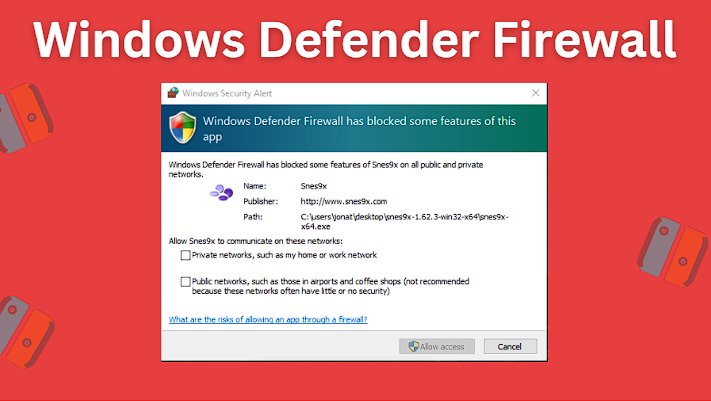
- You may see a Windows Defender Firewall alert appear saying Windows Defender Firewall has blocked some features of this app – if so, click Allow access to allow Windows Defender Firewall to allow SNES9x access
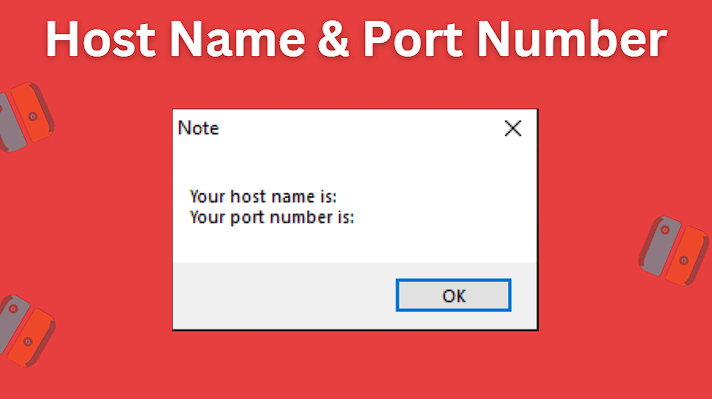
- You should also see a separate popup that appeared showing your host name and port number – be sure to make a note of both of these either by writing them down or screenshotting them to share with your friends so that they can join you
For Players Joining The Server
- Open up the SNES9x emulator if you don’t already have it open
- Click File from the top menu and then Load game… to select and start up the ROM that you and your friend will be playing together online
- With the emulator open, you should see Netplay in the top menu – click on it to open the dropdown
- Choose the option Connect to Server…
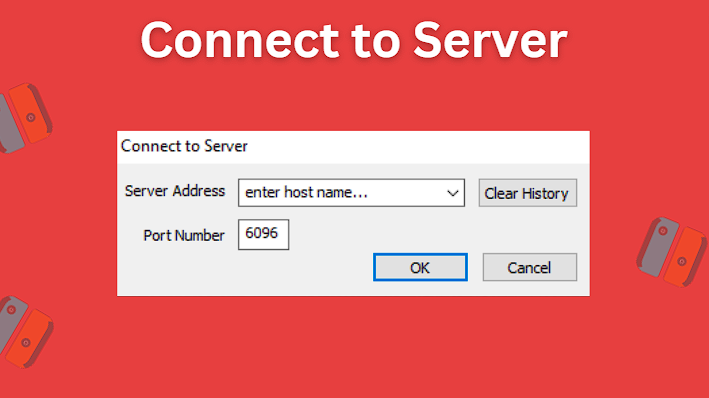
- Have your friend who is hosting the Netplay server share with you their Server Address and Port Number so that you can enter it into the popup that appears
- After entering in your friend’s Netplay information, click the Ok button and you should join their session
If both players followed the steps listed above, granted you didn’t run into any connection problems, you should now be connected and ready to play SNES games online.
How To Setup Snes9x Netplay in RetroArch?
Setting up Snes9x Netplay in RetroArch is pretty straightforward as well although the process is a tad bit different than using the standalone version of Snes9x.
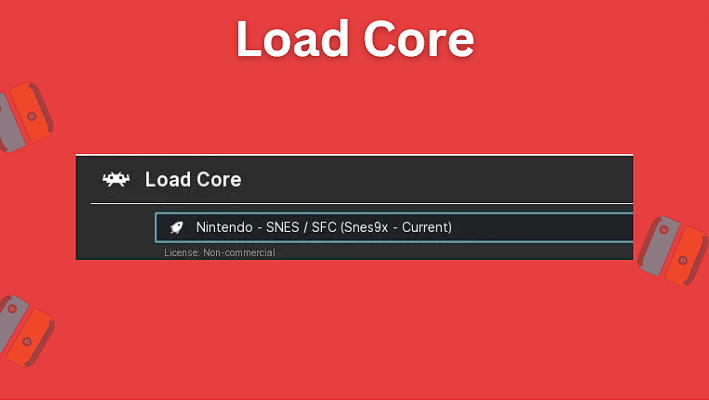
First open up RetroArch and make sure that both you and your friend have the Snes9x – Current core installed.
For Players Hosting The Server
- Click File from the top menu and then Load Content to select and start up the ROM that you and your friend will be playing together online
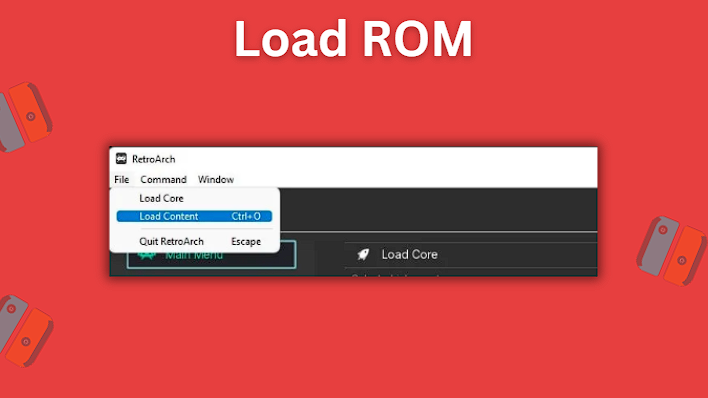
- With the emulator window now open, open up RetroArch in another window
- From the main RetroArch menu, find Netplay in the left hand side
- You’ll see some options, but will want to select Host
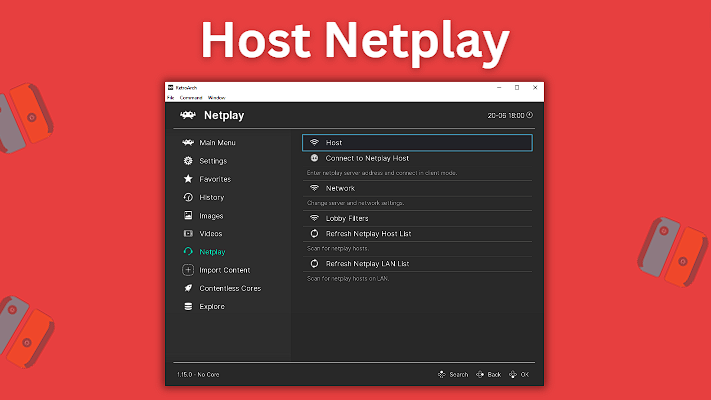
- Next click on Start Netplay Host to start hosting the session
- You will see a message that says that Netplay will begin once content is loaded
- After going back to the running game’s window, you’ll see your IP address and Port number which you will share with your friend in order for them to join you
For Players Joining The Server
- Click File from the top menu and then Load Content to select and start up the ROM that you and your friend will be playing together online
- With the emulator window now open, open up RetroArch in another window
- From the main RetroArch menu, find Netplay in the left hand side
- You’ll see some options, but will want to select Connect to Netplay Host
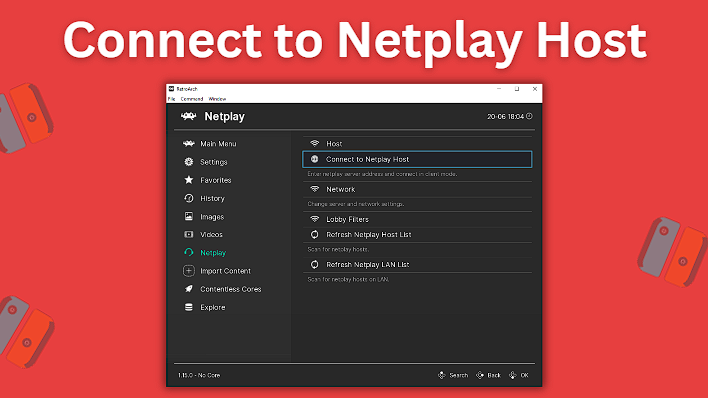
- You’ll then have the option to enter the Server Address of your friend – have them share with you their IP Address and Port number
- After going back to the window of the running game, you should join your friend and be able to play together
You should now be all setup and ready to play SNES games online using the Snes9x Retroarch core Netplay feature.
Snes9x Netplay Not Working?
Be sure that you have already loaded up the SNES ROM that you will be playing via Netplay before trying to create or join the Netplay connection. In the standalone version of Snes9x, this is pretty straightforward, however in the RetroArch version this can be a bit confusing because after starting up the SNES game in the Snes9x core, you’ll need to then open up another window of RetroArch to start Netplay.
You might also be interested in this RetroPie SNES setup guide.


