
If you’re looking for how to setup the RetroArch GameCube Dolphin core, you’re in luck! This guide will walk you through the process from start to finish – both for Windows PC and Steam. You’ll be ready to play your favorite GameCube games in no time.
Speaking of which, in recent years, GameCube games have skyrocketed in price, making it nearly impossible to complete a collection without spending a fortune. The GameCube is extremely popular with retro collectors and players, but there’s good news because due to its popularity, GameCube emulation is top notch.
The Dolphin GameCube emulator on RetroArch is fantastic and runs many games near perfectly. Dolphin on RetroArch runs on Windows, Android, Mac, Linux, and more!
You can play games like Super Smash Bros. Melee, Super Mario Sunshine, Metroid Prime, and even Pario Mario; The Thousand Year Door.
Without further ado, let’s get started so you can get to playing some GameCube games!
How To Setup The RetroArch GameCube Core Dolphin Standalone version?
Download RetroArch
- You’ll need to first download and install the RetroArch emulator which you can do from the official website here. If RetroArch is already installed on your device, please double check to make sure you are on the stable latest version which you can find here. If you’re not, this can cause some issues with this guide.
Prepare Your GameCube ROM file(s)
- You’ll want to ensure you have a GameCube ROM file available to use for testing. This will be the game file that we’ll be using after getting everything setup.
Remember: using ROM files for games that you don’t own and haven’t ripped yourself is illegal.
That being said, this article has a list of the best ROM sites.
Using a controller?
- It’s highly recommended to use a controller to play with. It makes the gaming experience so much better. To use an original GameCube controller with your PC, you’ll need an adapter like the one below which you can buy from Amazon for pretty cheap.
1. How To Download The Dolphin RetroArch GameCube Core?
Find the Dolphin Core
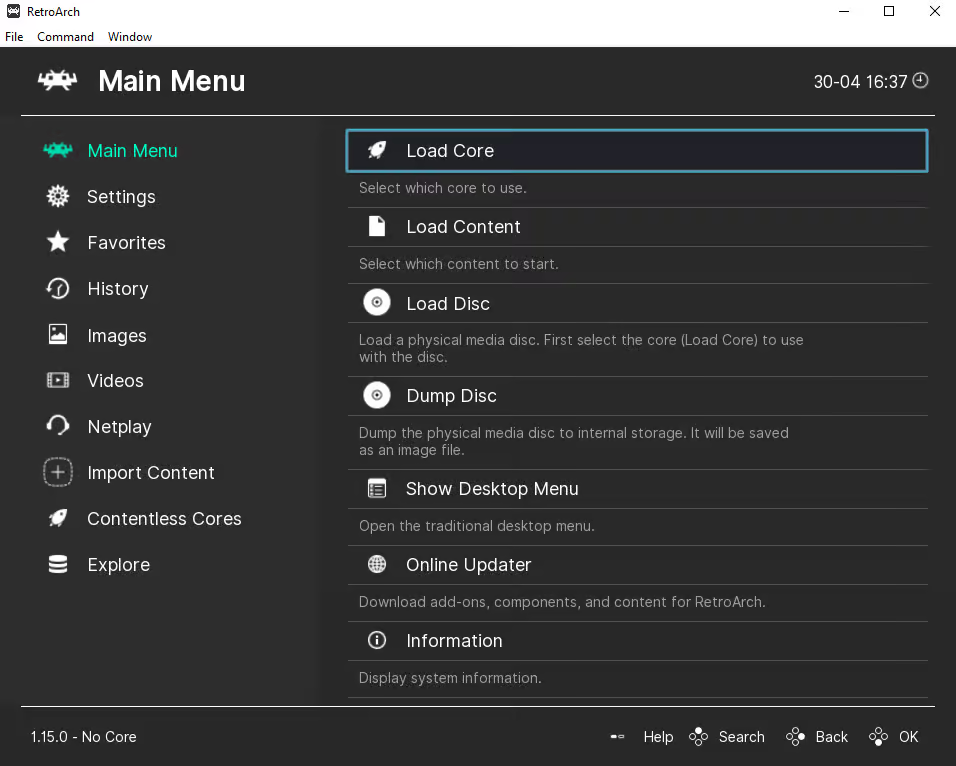
- After opening up RetroArch, choose Load Core
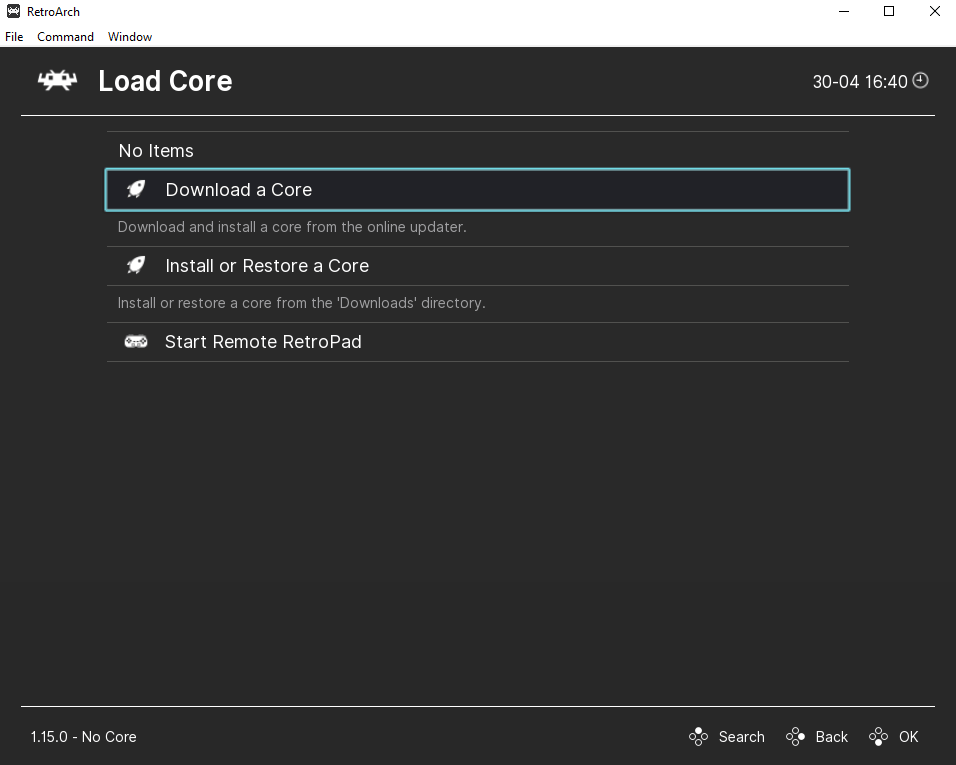
- Next choose to Download a Core
Download the Dolphin Core
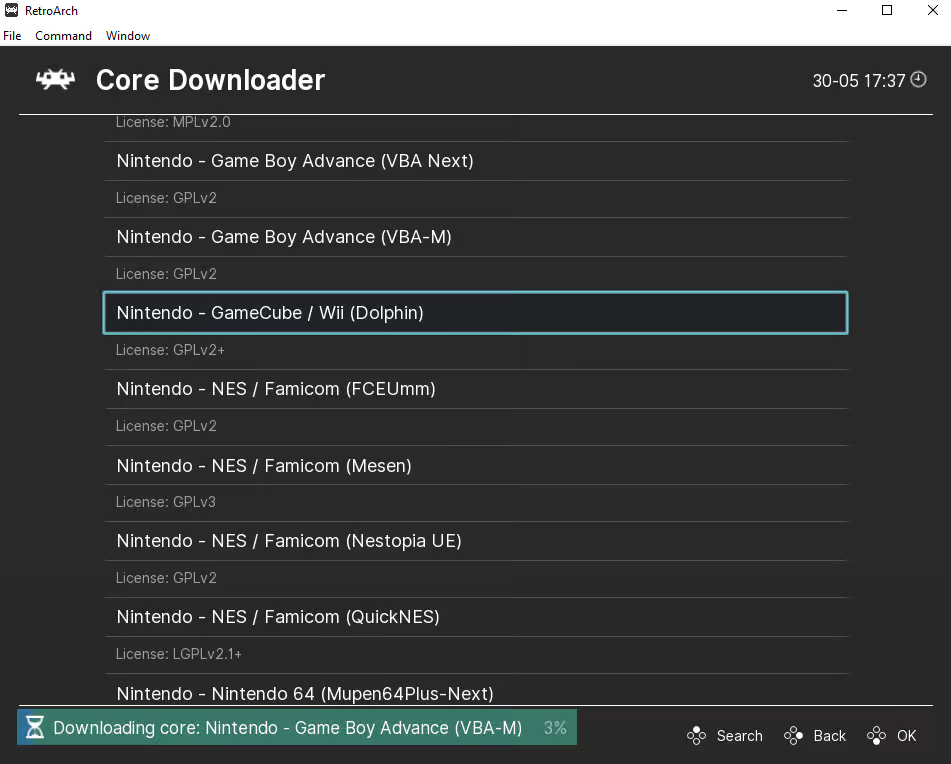
- Now scroll down until you see the Nintendo – GameCube / Wii (Dolphin) core and download it by clicking on it
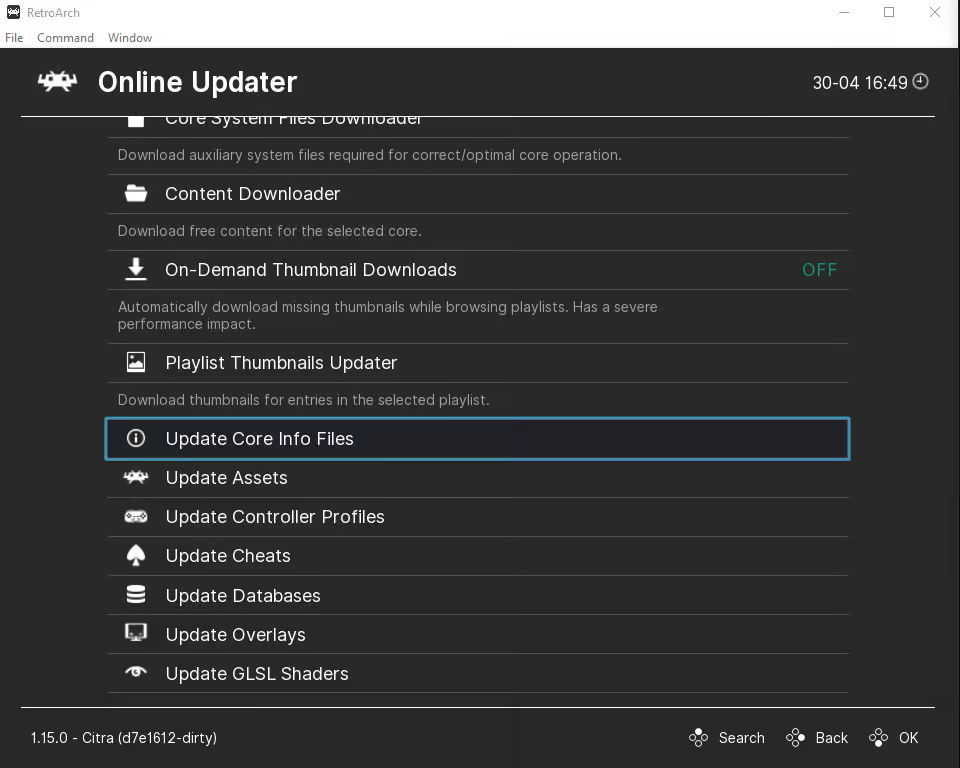
- Don’t forget, if RetroArch was already installed on your device, make sure to head to the main menu and then select Online Updater and also select Update Core Info Files and finally select Update Databases to ensure that all of your cores info files and databases are all up to date
- After it finishes downloading, you may go back and select Load Core
2. How To Load Your GameCube ROM File In RetroArch
Load Content
With the Dolphin core now installed on RetroArch, we’re ready to load up our 3DS ROM file.
- Go back to the main menu in RetroArch and choose Load Content
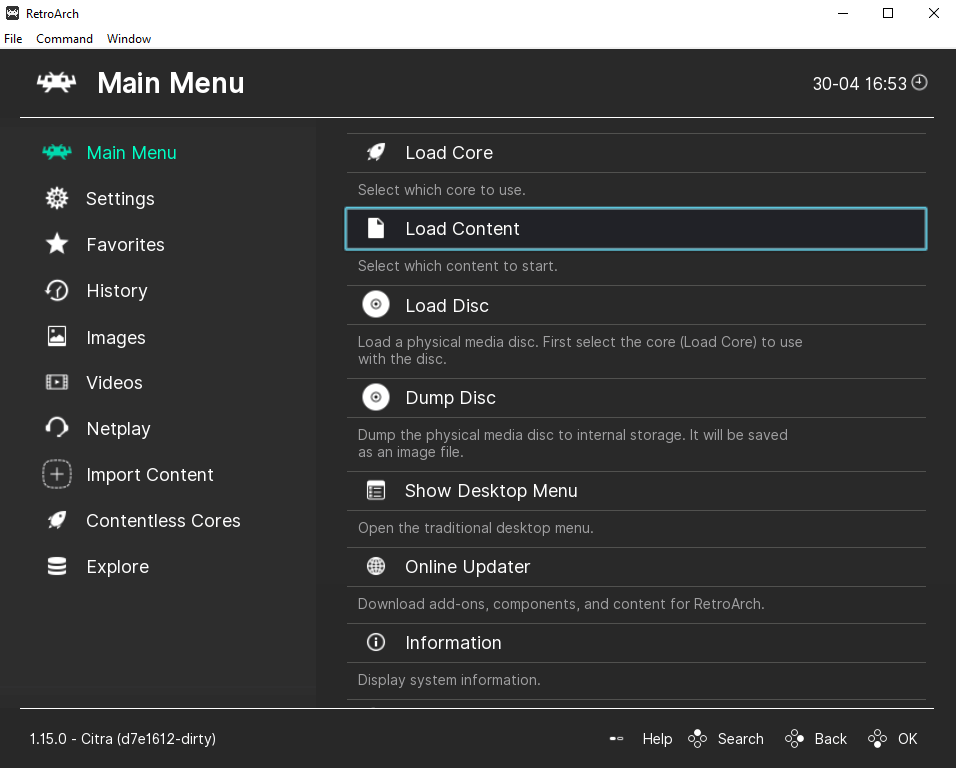
- Find where you saved your GameCube ROM on your device and choose it
- Your GameCube game should now launch as expected and you’re ready to play
How To Install RetroArch GameCube Core on Steam?
To install the RetroArch GameCube Core on Steam you will also need to:
- Right click RetroArch on Steam > Manage > Browse local files
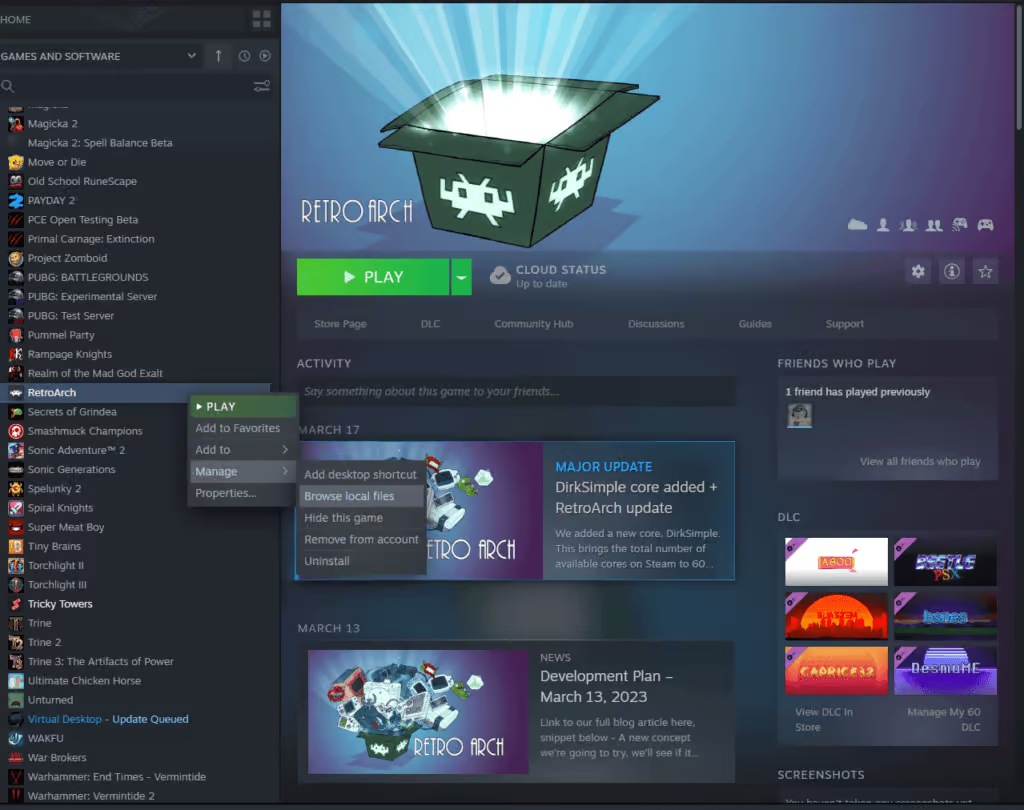
- Once Steam’s RetroArch folder opens, go to the cores folder
- Now install the Dolphin GameCube RetroArch core from the RetroArch buildbot here: https://buildbot.libretro.com/nightly/windows/x86_64/latest/dolphin_libretro.dll.zip
- Extract the files from the downloaded ZIP and then open up the extracted folder and copy the dolphin_libretro.dll file into your Steam RetroArch’s core folder
- Next you’ll need to install the Dolphin GameCube RetroArch info files from the RetroArch buildbot here:
https://buildbot.libretro.com/assets/frontend/info.zip - After installing the info files, extract them from the ZIP folder you downloaded and copy all of them into the info folder for your Steam version of RetroArch
- Now open the Steam version of RetroArch and click “Load Core” to check that the Nintendo – GameCube / Wii (Dolphin) core shows up – if you see it, you’re good to go
- You’re now ready to play some GameCube games on RetroArch via Steam
GameCube RetroArch Settings & Upscaling Resolution
Supported Core File Extensions
The Dolphin core supports the following file extensions:
- .elf
- .dol
- .gcr
- .iso
- .tgc
- .wbfs
- .ciso
- .gcz
- .wia
- .rvz
- .wad
- .dff
- .m3u
How To Upscale Resolution?
- Start up a GameCube ROM in RetroArch
- Bring up the quick menu by pressing the F1 key
- Scroll down until you see options and select it
- You’ll now see a list of all of Dolphin’s emulator options
- Select Internal Resolution and choose the resolution that you want to set it to
You’ll want to set your Internal Resolution to the maximum that you device’s display can handle, but not go so far that you negatively affect the game’s framerate. This may take some troubleshooting, but eventually you’ll find what works best for your setup. RetroArch also has an entire docs page dedicated to the RetroArch GameCube Dolphin emulator core options.
RetroArch GameCube FAQ
What core is GameCube on RetroArch?
The RetroArch GameCube core is called Dolphin. It’s a fantastic emulator that plays both GameCube and Wii games. It’s been around for years and is in a very stable state with solid performance.
Why Is It Hard To Emulate GameCube?
The short answer is that PCs and video game consoles are very different. This is true for Playstation and Xbox, but Nintendo is by far the most difficult. This is because Nintendo hardware is often very unique and when emulating games, you’re essentially emulating the hardware needed to run the GameCube games along with the actual games themselves at the same time.
This can take a decent amount of resources and isn’t an easy task. GameCube emulation is essentially bridging the gap between the game and your hardware, allowing you to turn your computer into a GameCube console.
Is RetroArch GameCube Core Available on Steam?
By default, the RetroArch GameCube core is not available on the Steam version, however you can still download and install it manually by following the tutorial on this page. It’s rather easy to do and is pretty straightforward. All it requires is downloading a couple of files and copying them over to the Steam RetroArch directory.


