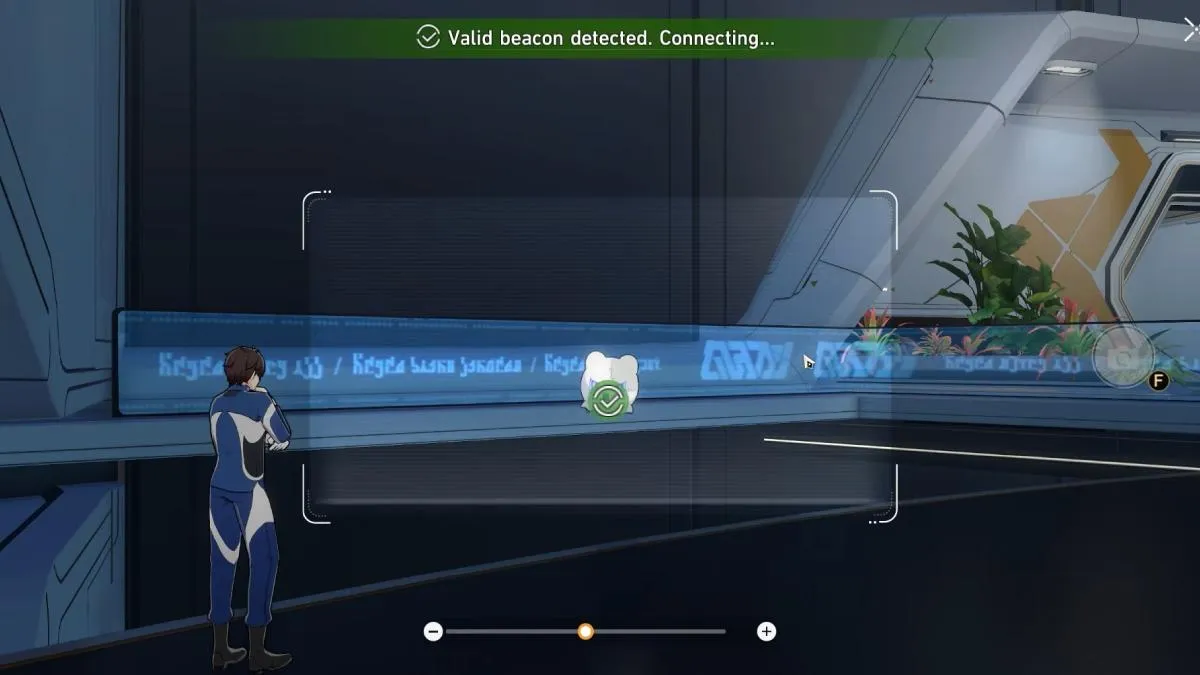
The side quest Signs of Fragmentum in Honkai: Star Rail requires players to collect data from four Beacons but doesn’t exactly explain what they look like or where to find them.
Fortunately, we’ve broken down this slightly complicated quest and listed the locations of every Beacon and how to collect their data below!
How to Collect All Beacon Data in Honkai: Star Rail Signs of Fragmentum Quest
There are four Beacons to locate in the Honkai: Star Rail side quest, Signs of Fragmentum.
These Beacons are called Wubbaboos and are white floating ghost bear-like heads that you’ll find in the Storage Zone in Herta Space Station.
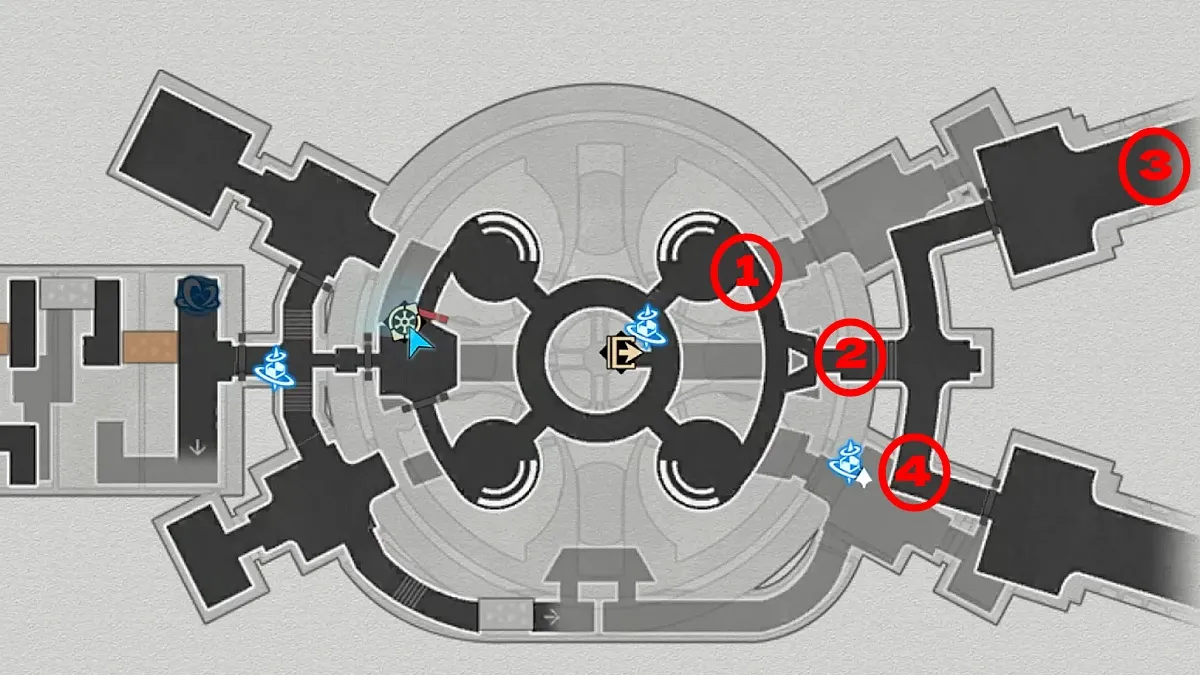
All Beacon Locations in Signs of Fragmentum
Here are the locations of all four Beacons:
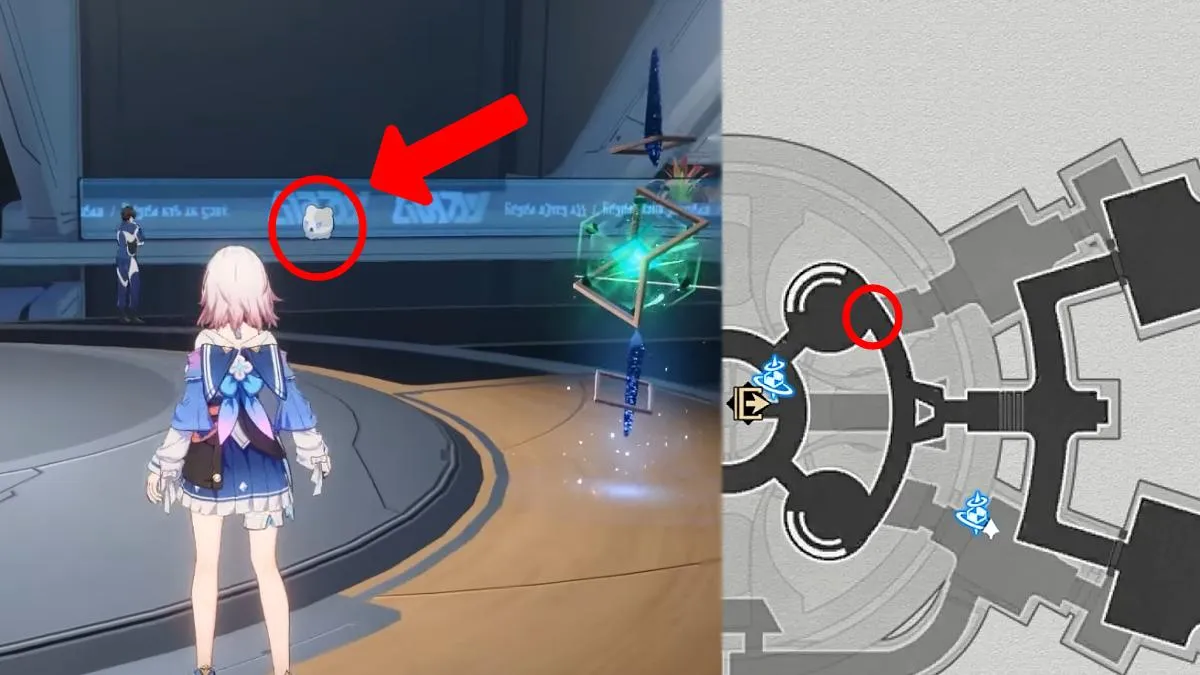
- To find Beacon number 1, follow these instructions:
- When you load into the mission, look directly northeast
- Next to the Maintenance Staff in blue is the Beacon
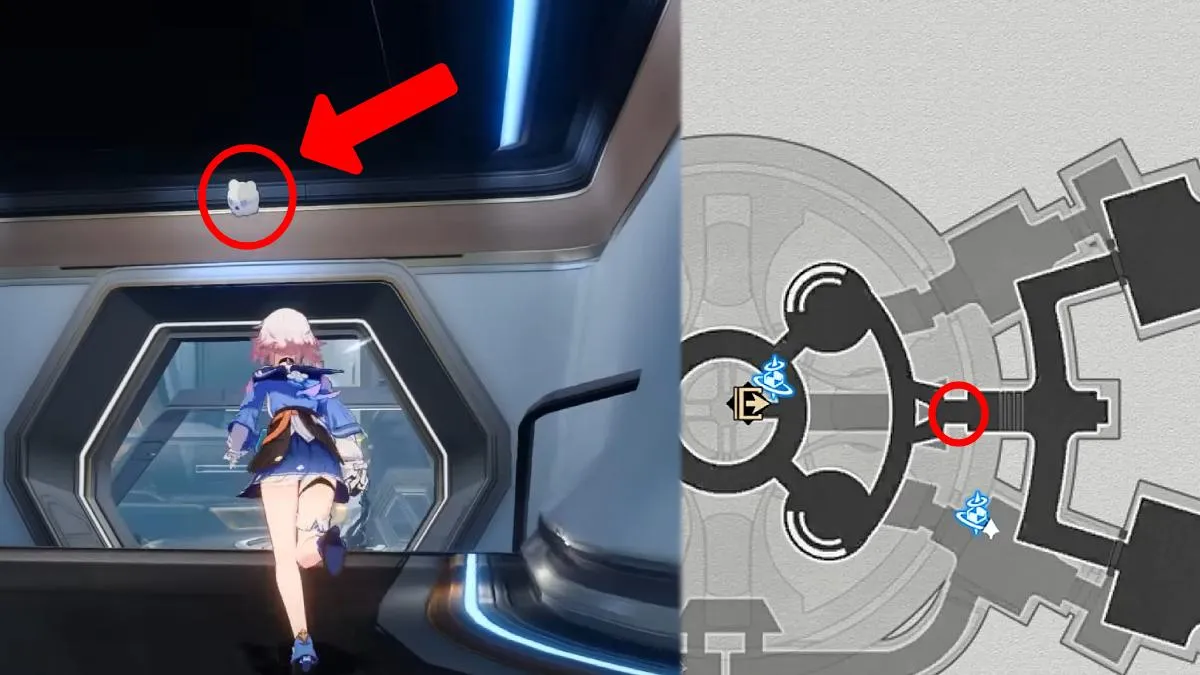
- Here is how to find Beacon number 2:
- Go right from where you start the mission
- Turn left when you reach the next corridor
- Enter through the doorway and then immediately turn around
- The Beacon is above the entrance
- To find Beacon number 3, follow these instructions:
- Go through the door that Beacon 2 is above
- Turn left at the end
- Follow the corridor until you reach a new room
- The Beacon is at the end of the room beside the sleeping enemy
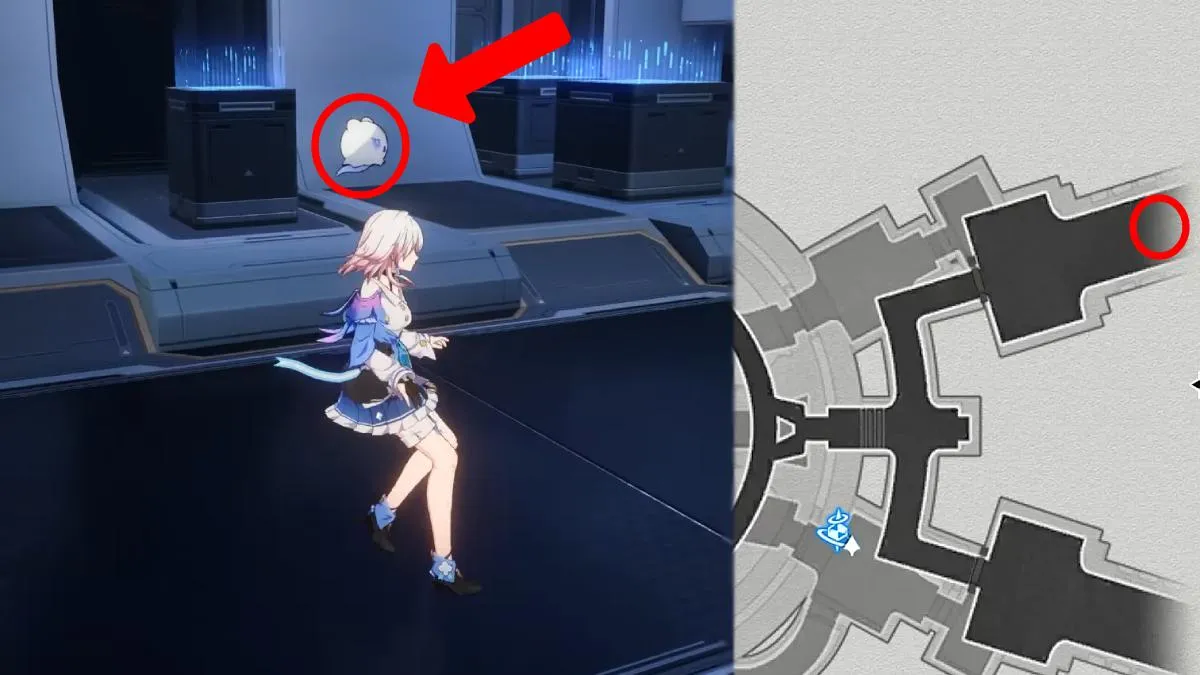
- Finally, here is how to reach Beacon number 4:
- Head out of the room with Beacon 3 and go to where you found Beacon 2
- Instead of leaving, turn left and head partially down the corridor
- Beacon number 4 will be in front of you next to the giant plant

Once you’ve completed the Signs of Fragmentum quest in Honkai: Star Rail, you should really go check out those mysterious blue Memory Bubbles to earn credits!
You can watch the full video from Game Guides Channel below:
How to Collect Beacon Data in Signs of Fragmentum
To collect the Beacon data, you need to scan the floating Beacons with your camera. You open up your camera by pressing R on PC or tapping the camera icon on the bottom right on mobile devices.
The camera option will only appear when you’re near something that can be scanned or doing a mission that requires it. This is the case for both PC and mobile devices.
Once you have the camera open, aim it at the Beacons until the circle fills up. The Beacon will then be counted, and you can move on to the next one.
If you need help with more Honkai: Star Rail quests, we have some helpful guides for you: