Can’t Verify License PS5 Error Fix - Gaming News google.com, pub-1884294887586162, DIRECT, f08c47fec0942fa0
Gaming News
No Result
View All Result
  • PC
  • PlayStation
  • Xbox
  • Nintendo
  • Crypto Gaming
  • Reviews
  • Metaverse
  • Videos
  • PC
  • PlayStation
  • Xbox
  • Nintendo
  • Crypto Gaming
  • Reviews
  • Metaverse
  • Videos
No Result
View All Result
Gaming News
No Result
View All Result

Can’t Verify License PS5 Error Fix

February 8, 2023
in Popular
0 0
0
1
VIEWS
Share on FacebookShare on Twitter


To solve the “Can’t Verify License” PSN error on PS5, players have these two fixes as possible options:

  1. Manually change the DNS of your PS5 Console
  2. Forget your current network from the PS5 Console settings and reconnect to it again
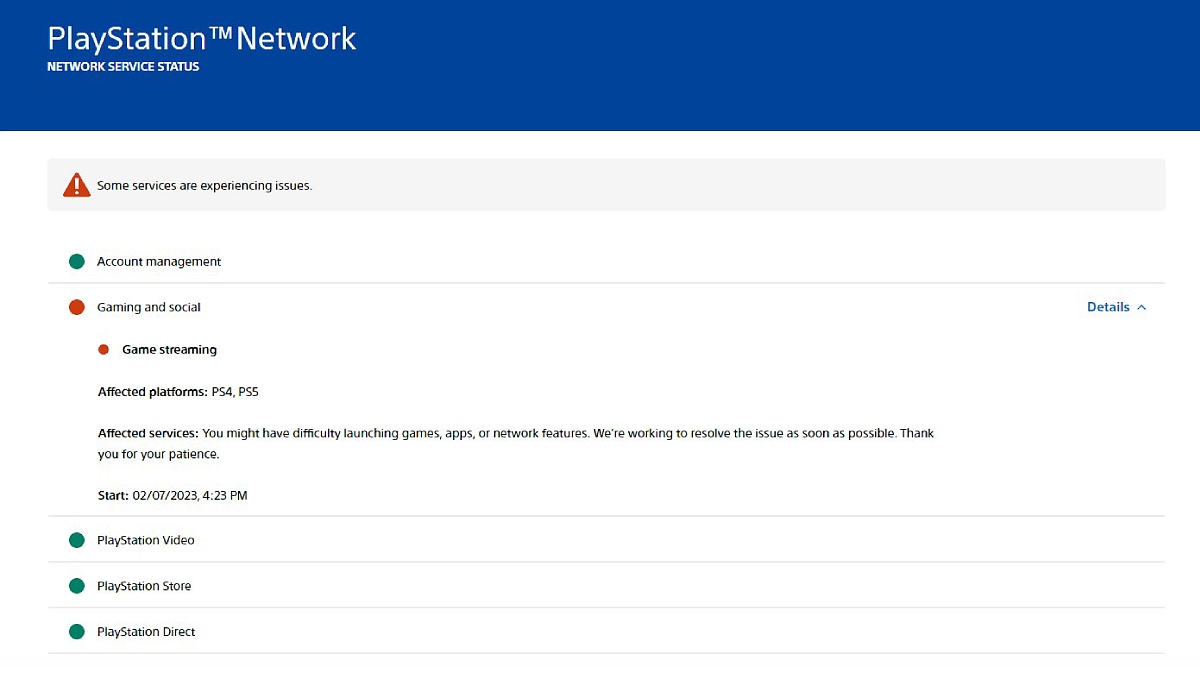
PlayStation Network Status PS5 PSN Can't Verify License Error

How to Manually Change Your PS5 Console DNS

On your PS5 console, follow these instructions:

  • Go to Settings by selecting the gear icon on the top right corner of the main menu screen
  • Select Network
  • Within Network, select Settings and then Set Up Internet Connection
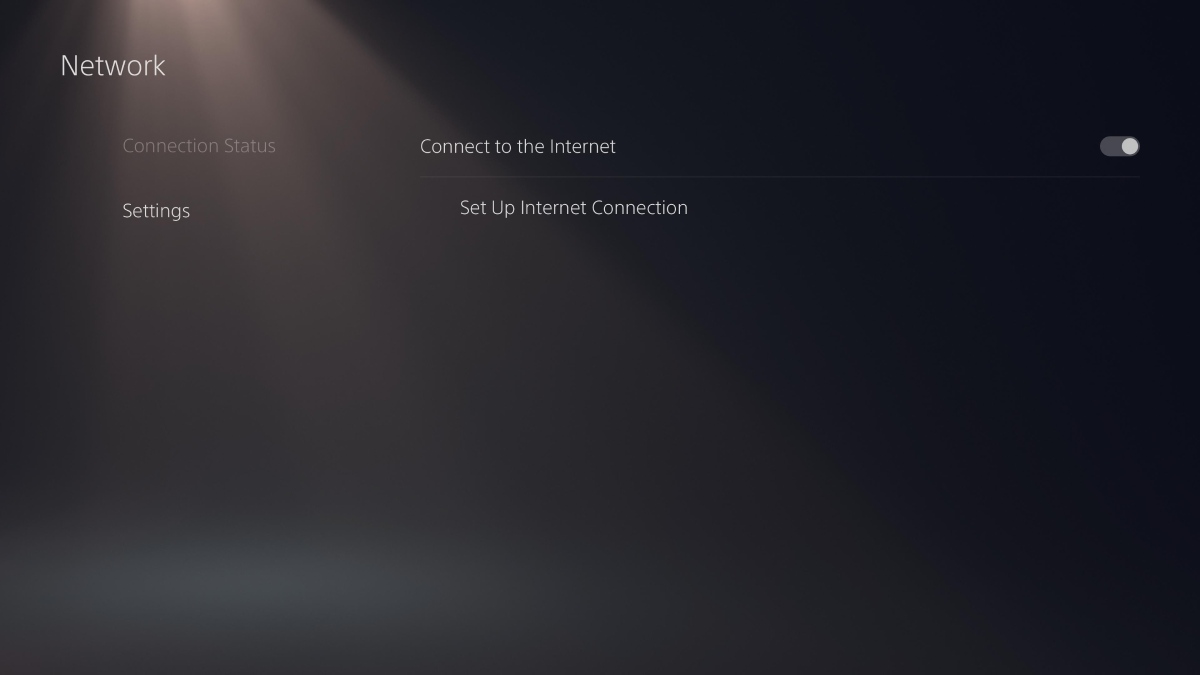
PS5 Network Settings
  • Go to the Network that says “Connected” on the left side and press the Menu button on your controller to open a small sub-menu
  • From this sub-menu, select “Advanced Options”
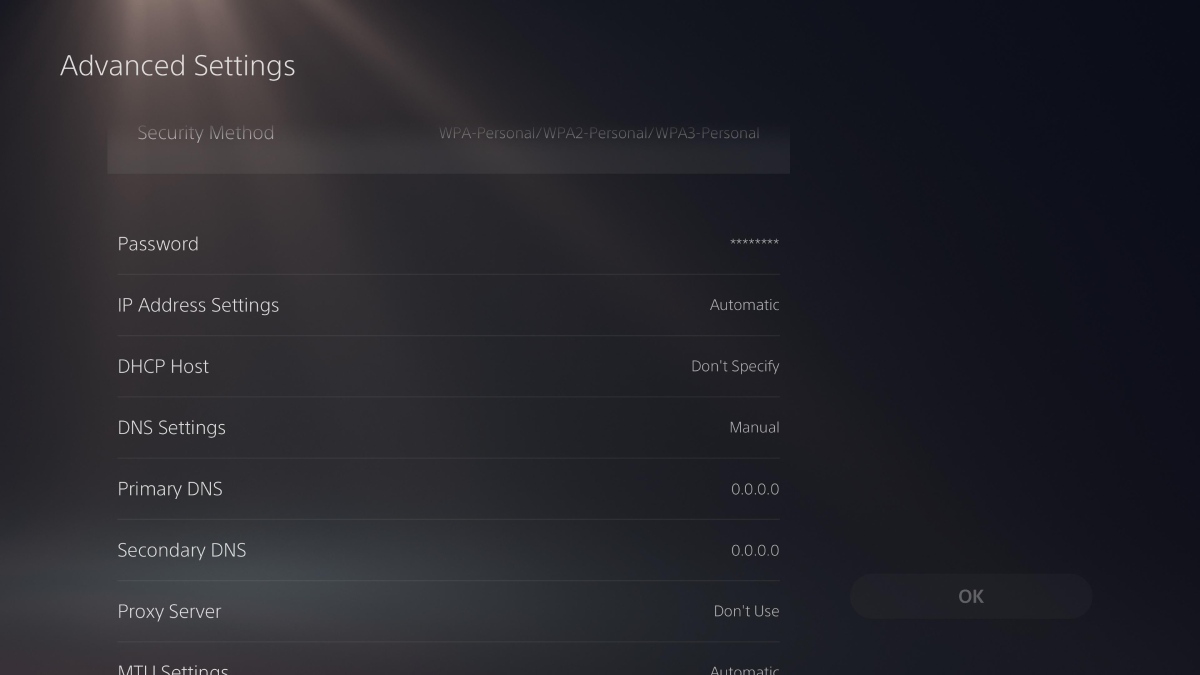
  • Go to DNS Settings and select the “Manual” option
  • Proceed to enter the Primary and Secondary DNS; you can use any of the following Public DNS Servers:
    • Cloudflare
      • Primary DNS server address: 1.1.1.1
      • Secondary DNS server address: 1.0.0.1
    • OpenDNS
      • Primary DNS server address: 208.67.222.222
      • Secondary DNS server address: 208.67.220.220
    • Google Public DNS
      • Primary DNS server address: 8.8.8.8
      • Secondary DNS server address: 8.8.4.4
Manual DNS Settings PS5 Network Settings
  • Finally, save these changes by selecting the “Ok” button on the right side
  • Try launching your game again

If this solution does not fix the “Can’t Verify License” PSN error on your PSN, you can try to forget your current network. The steps for this solution are detailed in the next section.

How to Forget Your Current Network From the PS5 – Can’t Verify License Error Fix

Turn on your PS5 console and follow these instructions to forget your network and solve the Can’t Verify License PSN error:

  • Go to Settings by selecting the gear icon on the top right corner of the main menu screen
  • Select Network
  • Within Network, select Settings and then Set Up Internet Connection
PS5 Network Settings
  • Go to the Network that says “Connected” on the left side and press the Menu button on your controller to open a small sub-menu
  • From this sub-menu, select “Forget”
  • Confirm you want your PS5 to forget the network by selecting “Ok”
  • Right after this, to reconnect to your network, simply scroll down to the “Networks found” section below
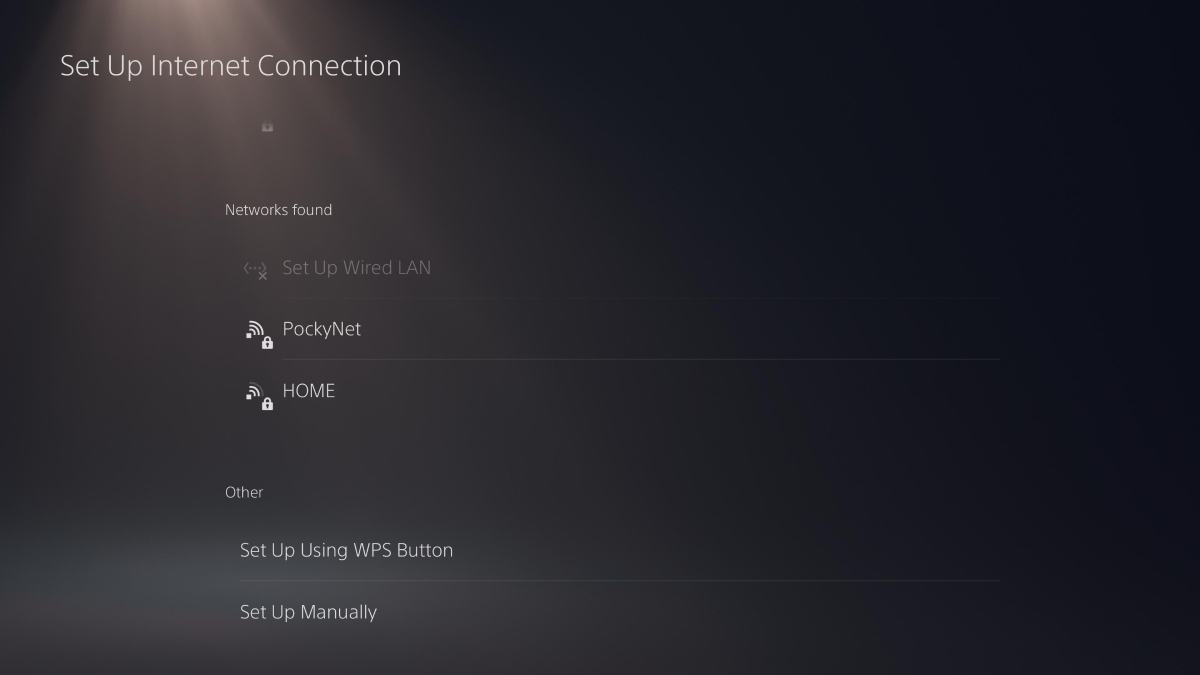
Networks Found PS5 Network Menu Settings
  • Select the network you want your PS5 to connect to, enter the password, and confirm by selecting “Ok”
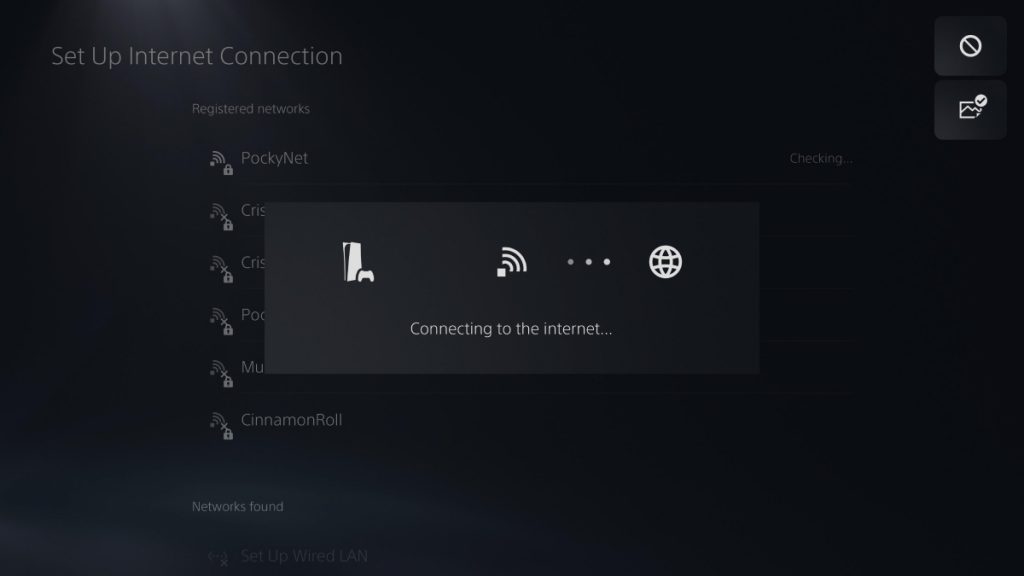
  • A prompt will state your console is trying to connect to this network and will shortly confirm a successful connection
  • Try launching your game again
Connecting to Internet PS5 Menu Settings

Any of these two solutions is a viable option to resolve the “Can’t Verify License” error on your PS5. Once all steps are completed, simply try launching your game again and enjoy!



Source link

Previous Post

Turn off notifications before downloading Hot Wheels via Game Pass

Next Post

Skydive Race Clicker Codes – Gamezebo

Next Post
Skydive Race Clicker Codes – Gamezebo

Skydive Race Clicker Codes - Gamezebo

Recommended

Vegasino On line casino Evaluation: Huge Slots, Dwell Video games, and Fast Wins

June 6, 2026

Furnizeaza click on on butoanele urmatoarele pentru a ajunge informatia dorita

June 6, 2026

Necessary: In la , Nu exista un avantaj in locul depunere Winner eficient

June 6, 2026

Thor Fortune On line casino playson odhaluje tajemství výher a zábavy

June 6, 2026

Gaming News

Get latest Gaming News on Pley2win.com. Popular Games, New released, Gaming Review, Xbox gaming, PlayStation, PC, Mobile Gaming and More!!

Categories

  • ! Valorant Boosting Tips
  • ! Без рубрики
  • 1
  • 10
  • 1000A Z
  • 1090A Z
  • 111
  • 18.12.1
  • 1win-np.com
  • 1xbetapp-ph.com3
  • 2000A Z
  • 237-Spassino Casino
  • 274 BeepBeep Casino –
  • 3
  • 318 Wizebets Italy
  • 4
  • 44
  • 5
  • 50%A 50 Z
  • 50%A 50B Z
  • 507-Pelican Casino
  • 777casino
  • 8
  • 800A 200BA Z
  • a16z generative ai
  • adobe generative ai 3
  • adobe generative ai 8
  • Article
  • Avocasino
  • bahisyasal 4521
  • Blog
  • Bookkeeping
  • Boomerang Casino
  • BT prod 5715
  • Business, Small Business
  • Casino
  • Casino De Arturo
  • casinocatspins
  • casinopinco
  • casinowazamba
  • catspinscasino
  • CH
  • Chicken Road rules
  • chickenroad
  • CIB
  • Computers, Games
  • cresuscasino
  • Crypto Gaming
  • de
  • dec_bh_common
  • dec_bh_main
  • dec_pb_common
  • December
  • dushscience.in
  • EC
  • edeka-halmschlag.de
  • Efbet Jackpots
  • Featured News
  • FinTech
  • first
  • Forex News
  • Forex Trading
  • Games
  • Gaming News
  • generative ai adobe photoshop 3
  • ghostinocasino
  • giochi
  • gokspel
  • hautarzt-rw.de
  • impressariocasino
  • jan4
  • jeux
  • jeuxi
  • Leon Casino
  • Leonbet
  • Live
  • Live Στοίχημα
  • Lizaro Casino
  • lobby303sky.info
  • madnixcasino
  • Metaverse
  • Mobile Στοίχημα
  • mostbet
  • NEW
  • New Released
  • News
  • ninecasino
  • Nintendo
  • nko-zdrav.ru
  • nov2
  • nov6
  • novos-casinos
  • Online Casino
  • online καζίνο
  • PC
  • pinco
  • platinumslotscasino
  • PlayStation
  • Plinko
  • Plinko Online Casino
  • Popular
  • Post
  • Public
  • ready_text
  • Reviews
  • Rolldorado
  • rubds1010.ru 10
  • sep
  • Sex
  • Sober living
  • spel
  • Spellen
  • spiderbetscasino
  • Spiele
  • spiller1
  • Sport
  • Stake
  • tenexcasino
  • test
  • Trading
  • trends
  • Uncategorized
  • VeryWell Casino
  • Videos
  • voxcasino
  • vrclub-tron.ru 10
  • vulkanvegascasino
  • what to name your ai
  • Wildrobin
  • wildz
  • wildzcasino
  • www.xin-chao.de
  • Xbox
  • zuplay-in.com2
  • Αθλητικά Στοιχήματα
  • Καζίνο
  • Φρουτάκια
  • Блог
  • Новости Криптовалют
  • Текста
  • Финтех
  • Форекс Брокеры56

Follow us

  • DMCA
  • Disclaimer
  • Privacy Policy
  • Cookie Privacy Policy
  • Terms and Conditions
  • Contact Us

Copyright © 2022 - Pley 2 Win.

No Result
View All Result
  • PC
  • PlayStation
  • Xbox
  • Nintendo
  • Crypto Gaming
  • Reviews
  • Metaverse
  • Videos

Copyright © 2022 - Pley 2 Win.

Welcome Back!

Login to your account below

Forgotten Password? Sign Up

Create New Account!

Fill the forms below to register

All fields are required. Log In

Retrieve your password

Please enter your username or email address to reset your password.

Log In
This website uses cookies. By continuing to use this website you are giving consent to cookies being used. Visit our Privacy and Cookie Policy.